
• Join the Academy
  • Login

Your Information

2
  • Upgrading Your Membership to Lifetime
  • Changing Your Payment Method

Mobile App

1
  • Registering with Learnistic and connecting the Mobile App
View Categories
  • Home
  • Documentation
  • Your Information
  • Upgrading Your Membership to Lifetime

Upgrading Your Membership to Lifetime

< 1 min read

Upgrading My Membership #

It is possible to upgrade your membership from annual to lifetime, and get a prorated discount while you do it. If you want to use a coupon to upgrade during a campaign, read to the end.

Visit the account subscriptions page.
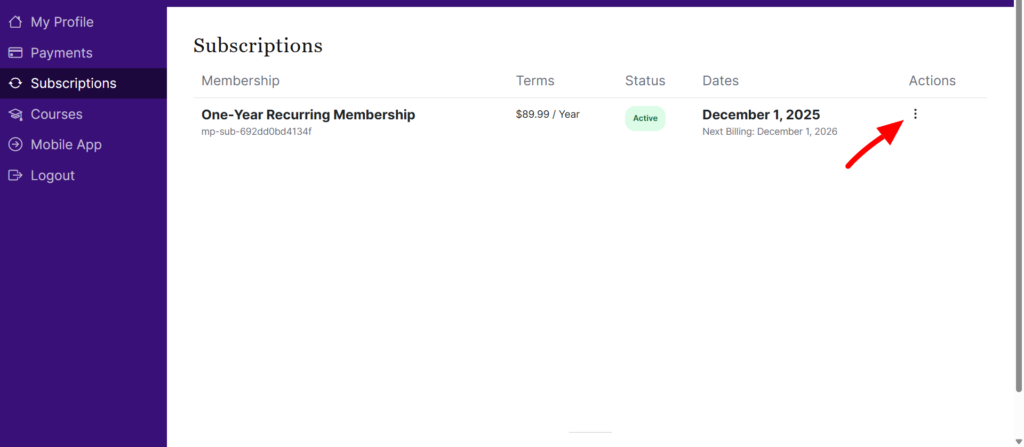
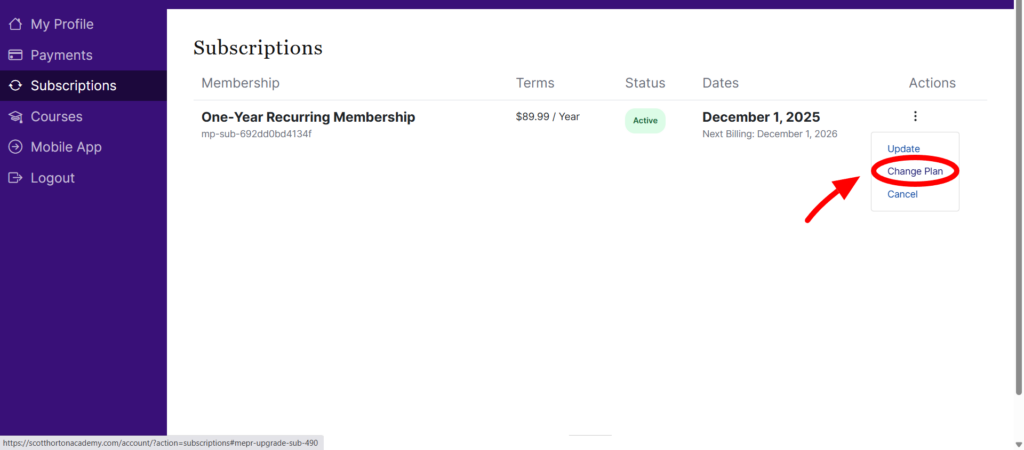
Select the 3 dot menu on your One-year Recurring Membership and select Change Plan from the dropdown menu.
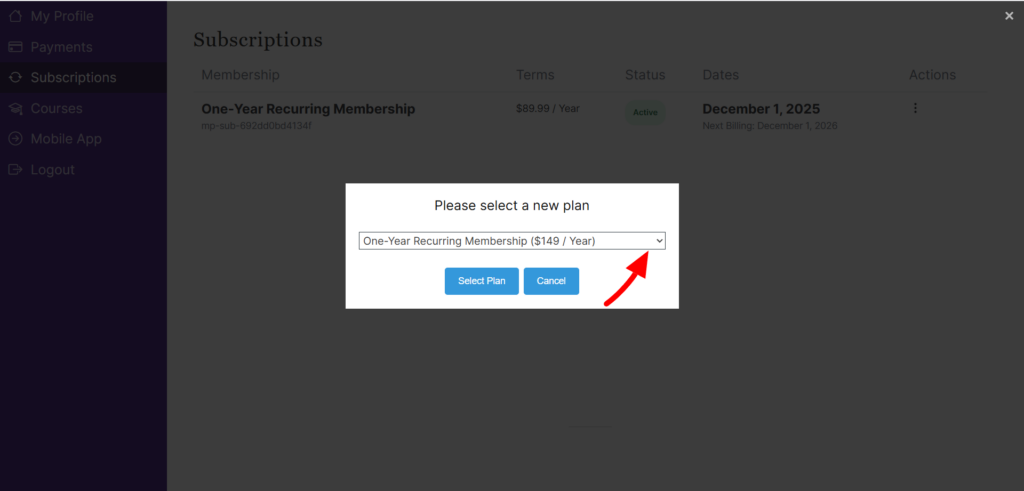
Picking Lifetime Membership #

In the popup menu, you will be able to select the lifetime membership. There won’t be a payment until you have completed a form on the next page where you can provide your shipping information and enter a coupon if applicable.
Using a Coupon to Upgrade #

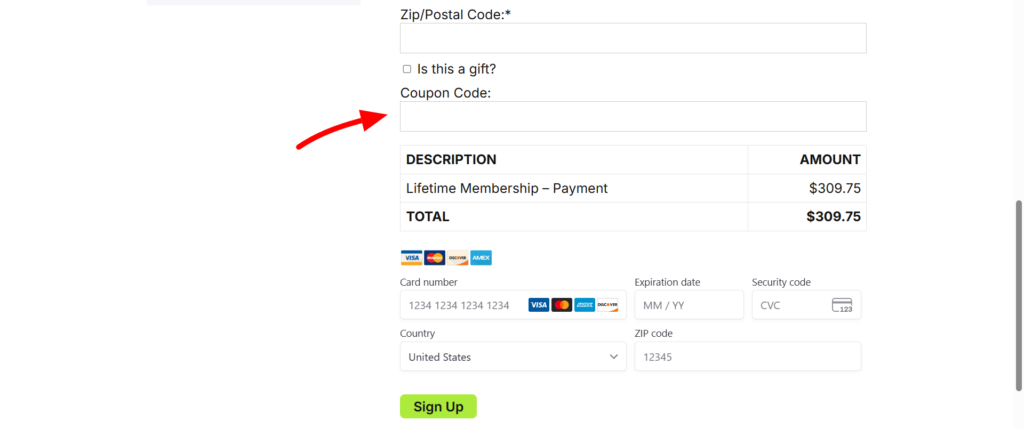
Don’t forget if you have a coupon to enter it on this page by clicking the add a coupon button.
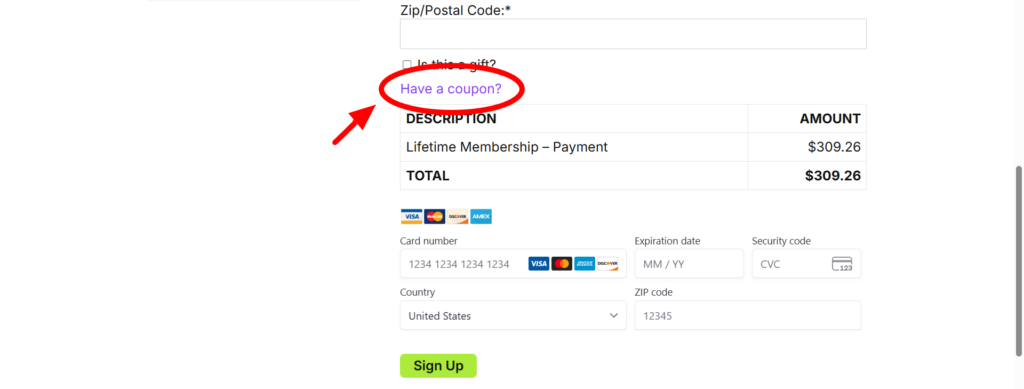
Then enter the code in the box and finish the payment.
Updated on December 4, 2025
Changing Your Payment MethodChanging Your Payment Method
Table of Contents
  • Upgrading My Membership
  • Picking Lifetime Membership
  • Using a Coupon to Upgrade
Foreign policy education for people who value freedom.

Academy

Merch Store

Instructors

Membership

Courses

Mobile App

Gift a membership

Support

FAQ

My Account

Privacy

©2026 The Scott Horton Academy of Foreign Policy and Freedom.

Need Help? Contact Support@ScottHortonAcademy.com