
• Join the Academy
  • Login

Your Information

2
  • Upgrading Your Membership to Lifetime
  • Changing Your Payment Method

Mobile App

1
  • Registering with Learnistic and connecting the Mobile App
View Categories
  • Home
  • Documentation
  • Your Information
  • Changing Your Payment Method

Changing Your Payment Method

< 1 min read

If you need to change or update your payment method, follow these steps:

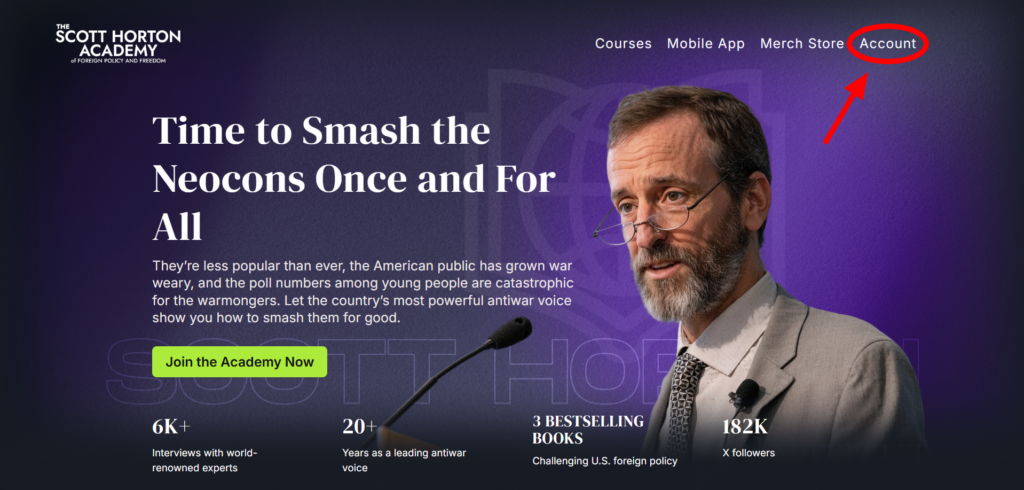
First, go to your Account page on the top right of the home page.
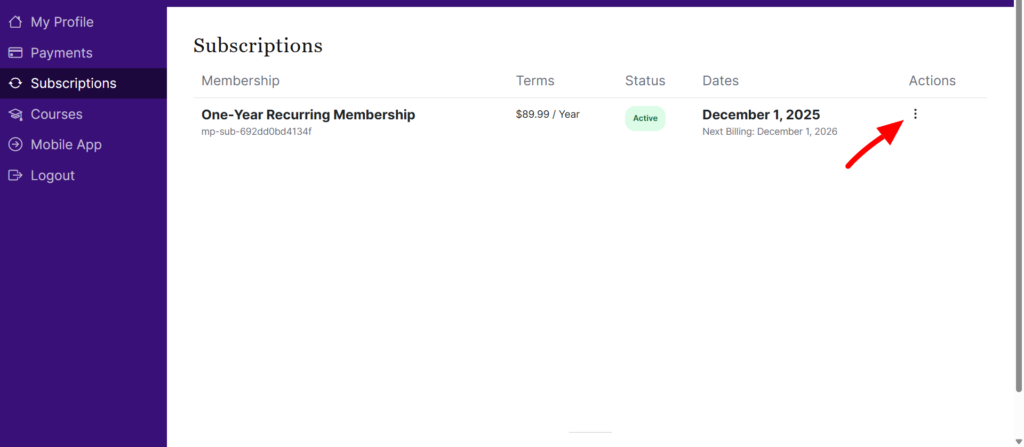
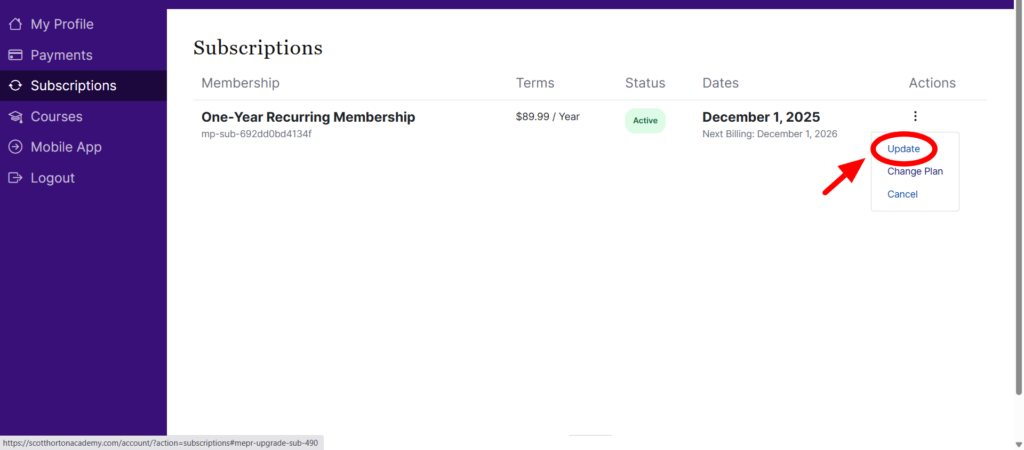
Click on Subscriptions on the left side menu. Then click the three dots on the right and select Update.
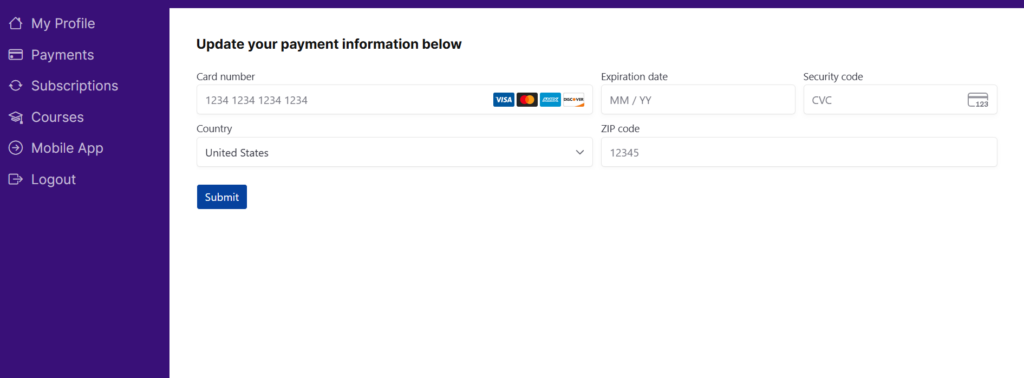
Update your payment information and click Submit.
Updated on December 17, 2025
Upgrading Your Membership to LifetimeUpgrading Your Membership to Lifetime
Foreign policy education for people who value freedom.

Academy

Merch Store

Instructors

Membership

Courses

Mobile App

Gift a membership

Support

FAQ

My Account

Privacy

©2026 The Scott Horton Academy of Foreign Policy and Freedom.

Need Help? Contact Support@ScottHortonAcademy.com